PLM/Relationship Functions
DAIMIA Connector extends its functionality beyond 3D visualization by offering features to interact with PLM data and related relationships effectively. Below are the key features available:
Refresh/Item is Up to Date
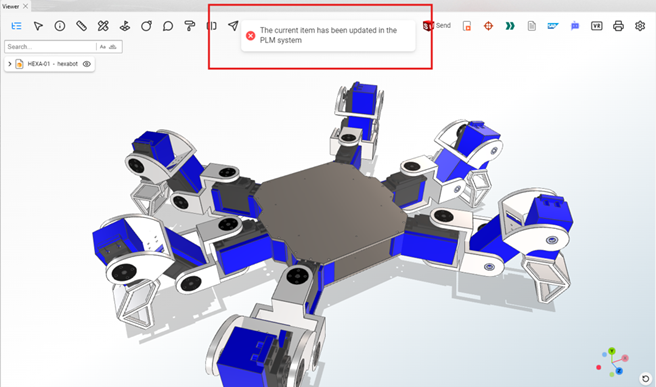
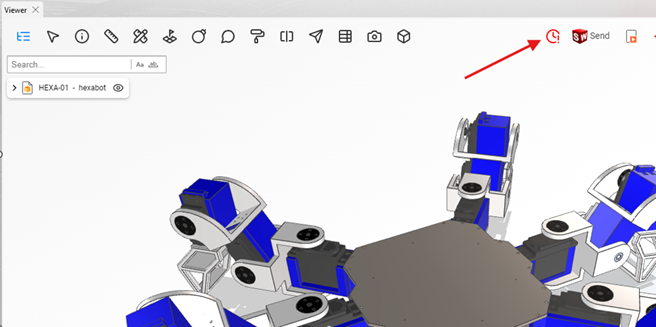
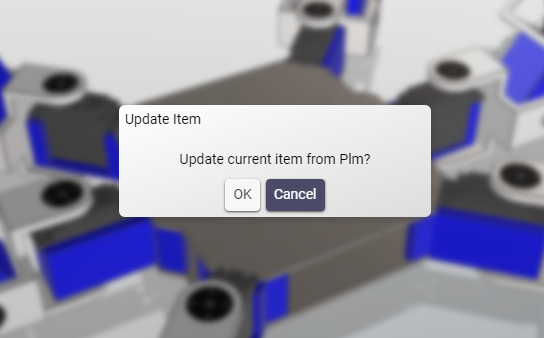
This function ensures that the geometry displayed in the Viewer, along with its associated PLM data, is up to date. The Refresh option updates the Viewer content to reflect the latest changes made in the PLM system.
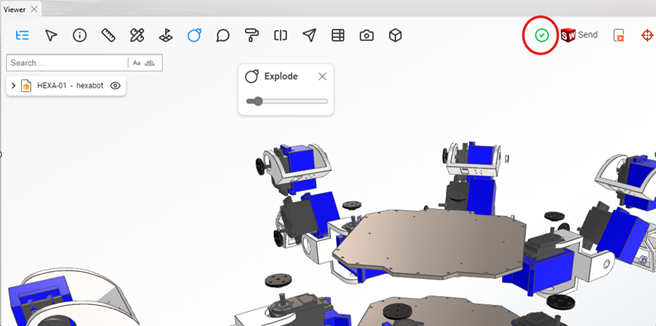
If any changes have been made to the relevant data in the PLM system, the Explorer notifies the user and prompts them to refresh the view, ensuring that the most current data and geometry are displayed in the Viewer.
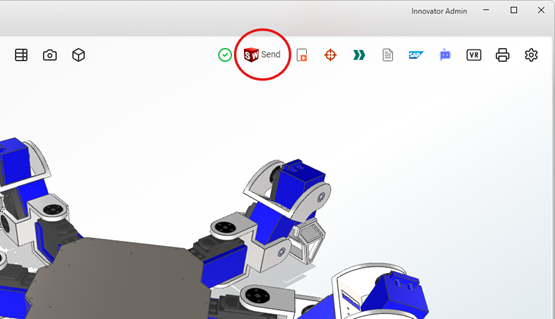
Send to CAD
Developed by DAIMIA, this Connector function enables the native CAD data associated with a part or assembly to be opened in the relevant CAD system. The system automatically identifies the CAD platform and loads the file accordingly, allowing modifications directly within the native environment. For more detailed information on this feature, please refer to the Connector documentation or contact DAIMIA directly.
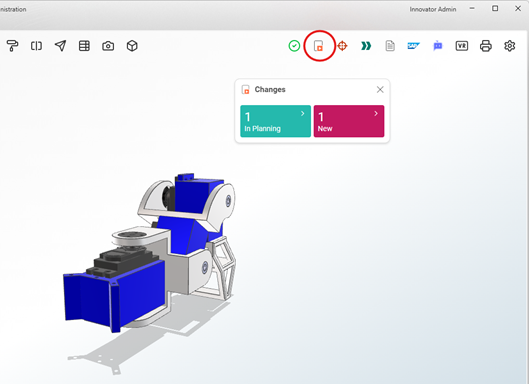
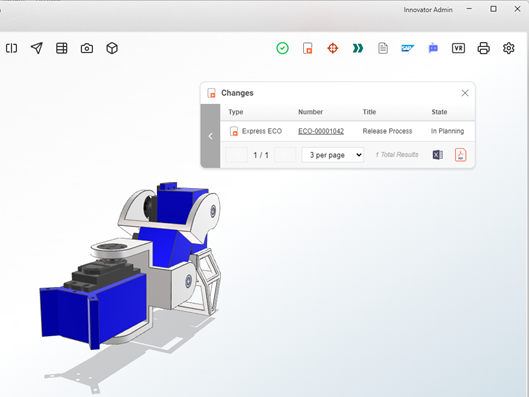
Changes
The Changes feature displays change requests, change orders, or other items linked to the part or assembly through the PLM’s Change Management module. It provides a quick overview of pending or completed changes.
Requirements
This functionality lists all requirements and requirement documents associated with the selected part or assembly, allowing users to trace the product’s compliance with specifications.
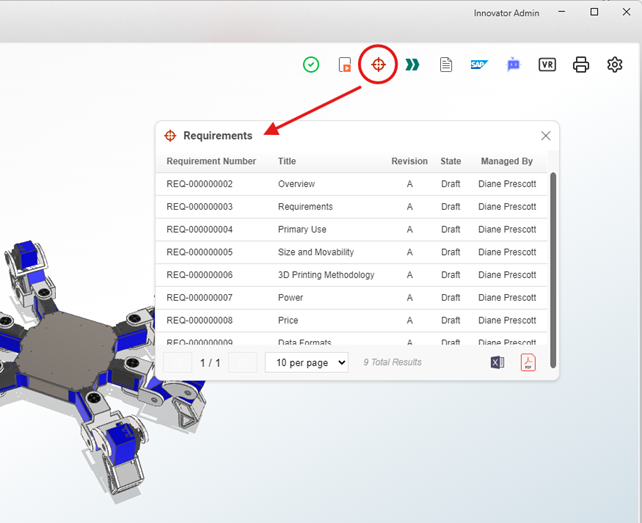
listed requirements can also be exported as a Datasheet or PDF, providing users with a convenient way to share or document the compliance information.
Process Plans
The Process Plans tool displays manufacturing or workflow process plans defined in the PLM system and linked to the part or assembly, helping users understand the production or assembly processes.
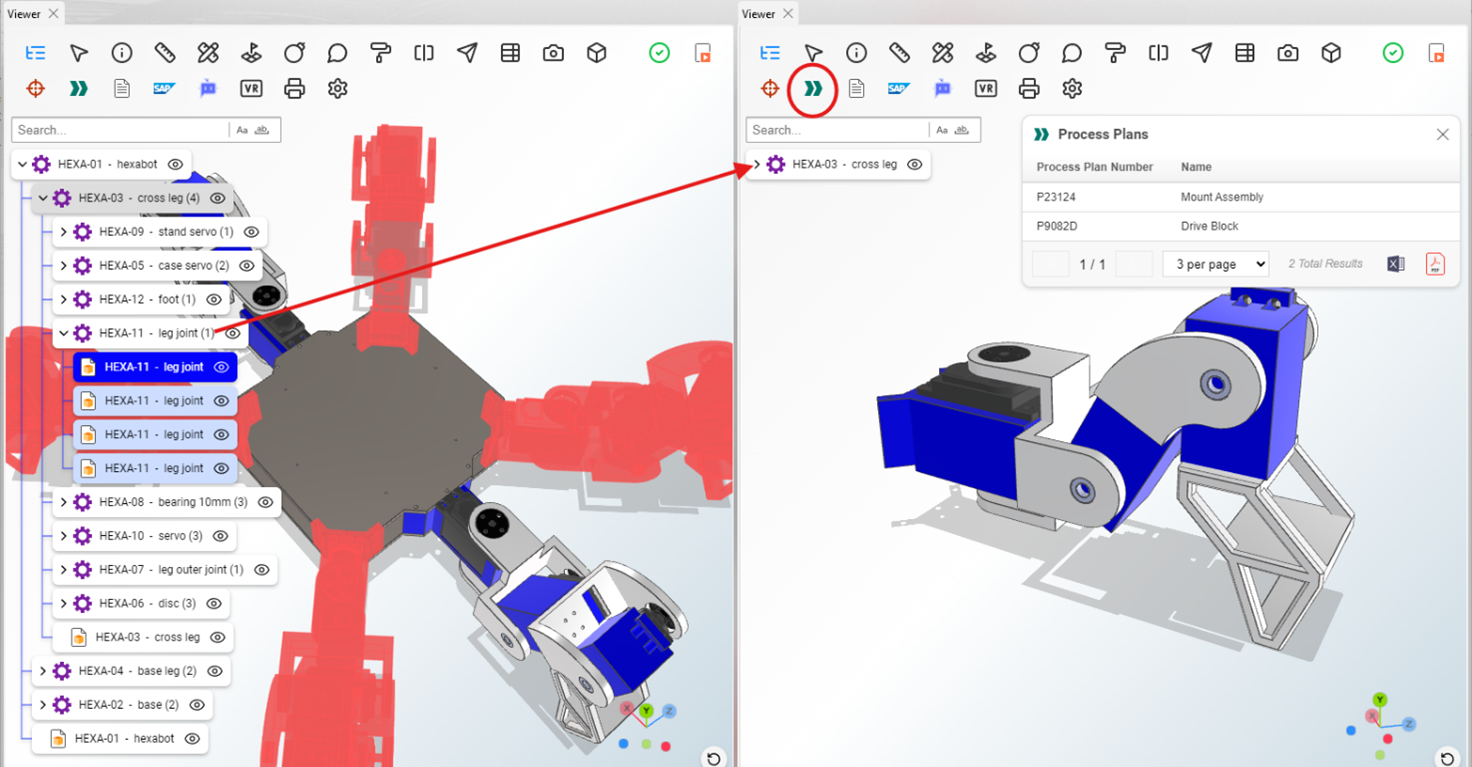
If the selected part or assembly is associated with a Process Plan, the Viewer will list the relevant process plans through this function, providing a clear view of the production or assembly steps.
Documents
This feature lists all documents associated with the selected part or assembly, as stored in the PLM. It allows users to access and manage related files directly from the Viewer.
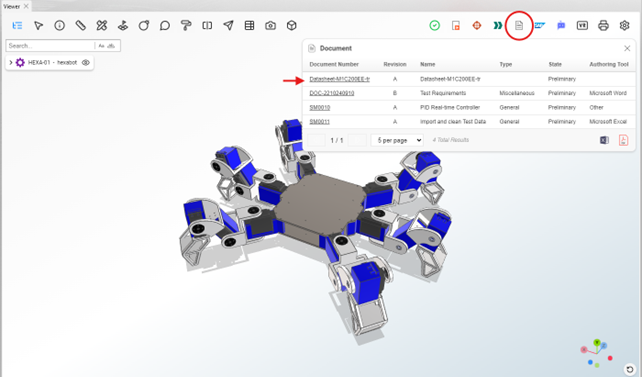
Additionally, with the Viewer’s document viewing feature, users can open the listed documents in a separate Viewer window, making it easier to view and work with multiple documents simultaneously.
SAP/ERP
If integration is configured, this tool enables users to view SAP or other ERP-related information, such as stock levels, pricing, and logistical details for the selected part or assembly.
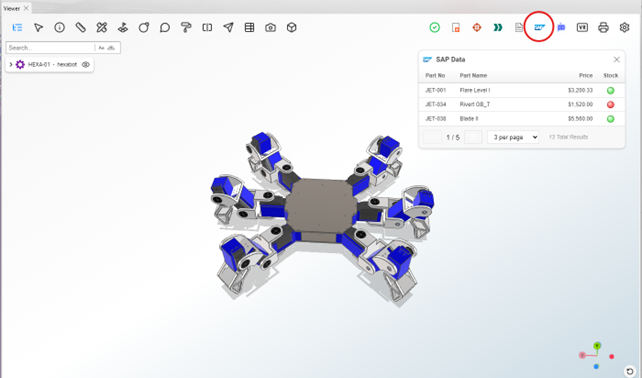
Please note that this functionality requires a specific integration, and the API infrastructure provided by SAP or other ERP providers must be compatible. For detailed information, please contact DAIMIA.
AI Assistant (This function will be added in the future)
With generative AI capabilities, the AI Assistant allows users to query and explore part or assembly details, PLM relationships, and other relevant information in a conversational manner, streamlining data retrieval.
VR
This function prepares a VR-compatible visualization of the part or assembly, enabling immersive viewing on supported hardware.
The Print feature allows users to print the current Viewer screen. It opens the print configuration dialog, enabling selection of printing options such as orientation and scale.
Settings
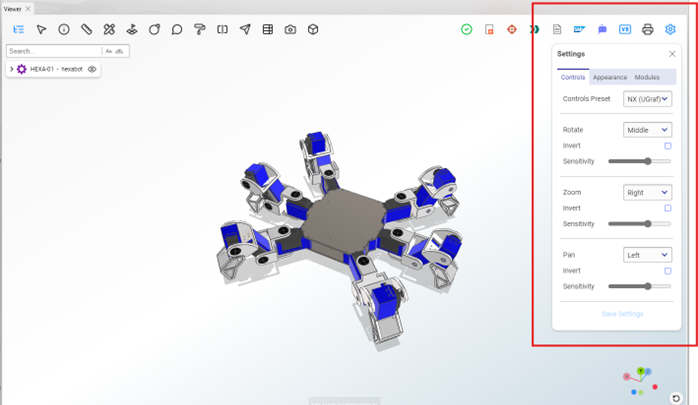
The Settings menu provides options to configure the Viewer environment according to user preferences. It includes the following submenus:
-
Controls This submenu allows customization of mouse and viewing controls for the Viewer. Users can configure options such as:
- Rotate: Set the axis and style for rotation.
- Invert: Invert controls for a different interaction style.
- Sensitivity: Adjust the sensitivity of mouse movements for zooming, panning, and rotating.
-
Appearance The Appearance menu lets users modify the Viewer’s background and visual settings. Options include: Changing the background color or texture.
-
Modules This submenu enables users to manage and configure DAIMIA Connector modules. Users can activate or deactivate specific module buttons PLM/Relationship Functions DAIMIA Connector extends its functionality beyond 3D visualization by offering features to interact with PLM data and related relationships effectively. Below are the key features available: